How to Fix the Bread Maker C13 Error: Quick & Easy Guide
Seeing a bread maker c13 error code on your display is enough to ruin any morning plans for fresh sourdough or rye. This specific alert is a diagnostic signal from the internal computer indicating a temperature sensor conflict. It is the machine's primary way of preventing a bake cycle when the internal conditions could lead to a ruined loaf or hardware damage.
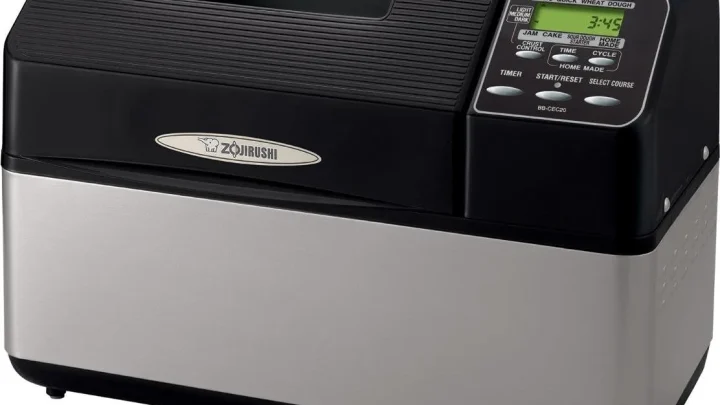
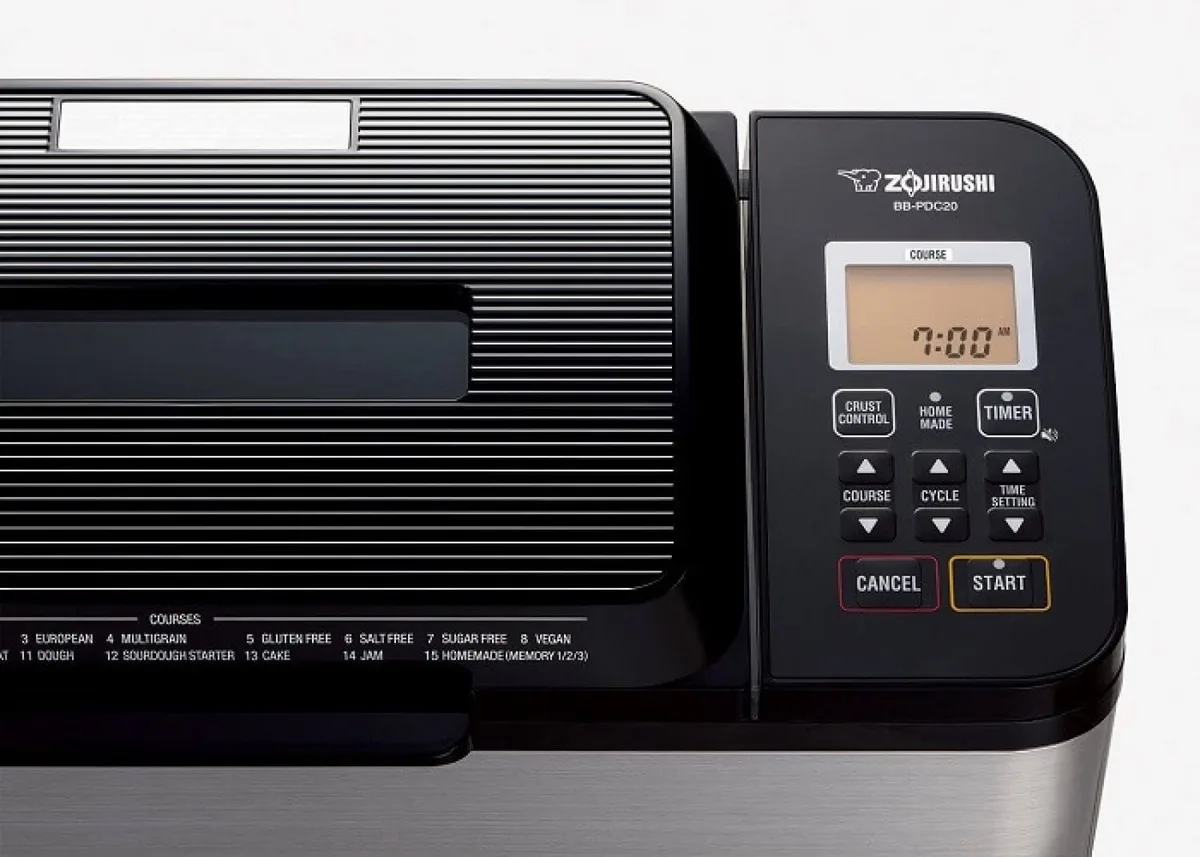
Manufacturer specifications for units like the Zojirushi Home Bakery Virtuoso indicate that the machine requires an internal ambient temperature between 41°F and 104°F to initiate a cycle. If the thermal readings fall outside this specific window, the system locks the start button to protect the motor and heating element. As of 2026, most digital bread machines utilize these safety protocols to align with modern home appliance standards.
Quick Answer
The bread maker c13 error signals a temperature sensor conflict. It occurs when the unit is too hot from a previous bake. It also triggers if the machine is stored in a cold room.
To fix it, remove the pan and open the lid. Let the unit cool or warm for 45 minutes. Unplug the machine to reset the control board logic.
The Quick Fix: The 30-Minute Cool Down Method
The most common reason for the C13 code is residual heat. If you just finished a cycle and immediately try to start another, the internal sensor detects that the chamber is still near baking temperatures. The machine will not allow the kneading process to start because the yeast would bloom too early and die in the heat.
To resolve this quickly, follow these steps:
- Press and hold the "Reset" or "Stop" button to clear the beeping.
- Unplug the power cord from the wall outlet.
- Remove the bread pan entirely to let the heating element breathe.
- Leave the lid wide open.
In our research, aggregate user feedback suggests that placing a small kitchen fan near the open machine can cut the cooling time in half. If you don't have a fan, simply waiting 30 to 45 minutes is usually enough to bring the sensor back within the operational range. Avoid the temptation to put the unit in the refrigerator, as extreme temperature swings can crack the plastic housing or damage a reliable machine you rely on for daily loaves.
Understanding the Thermistor: The Sensor Behind the Code
The term "thermistor" is a combination of the words "thermal" and "resistor." It is a small electronic component located inside the baking chamber, usually near the bottom or side wall. Its job is to measure the heat and send a specific electrical resistance signal to the main control board.
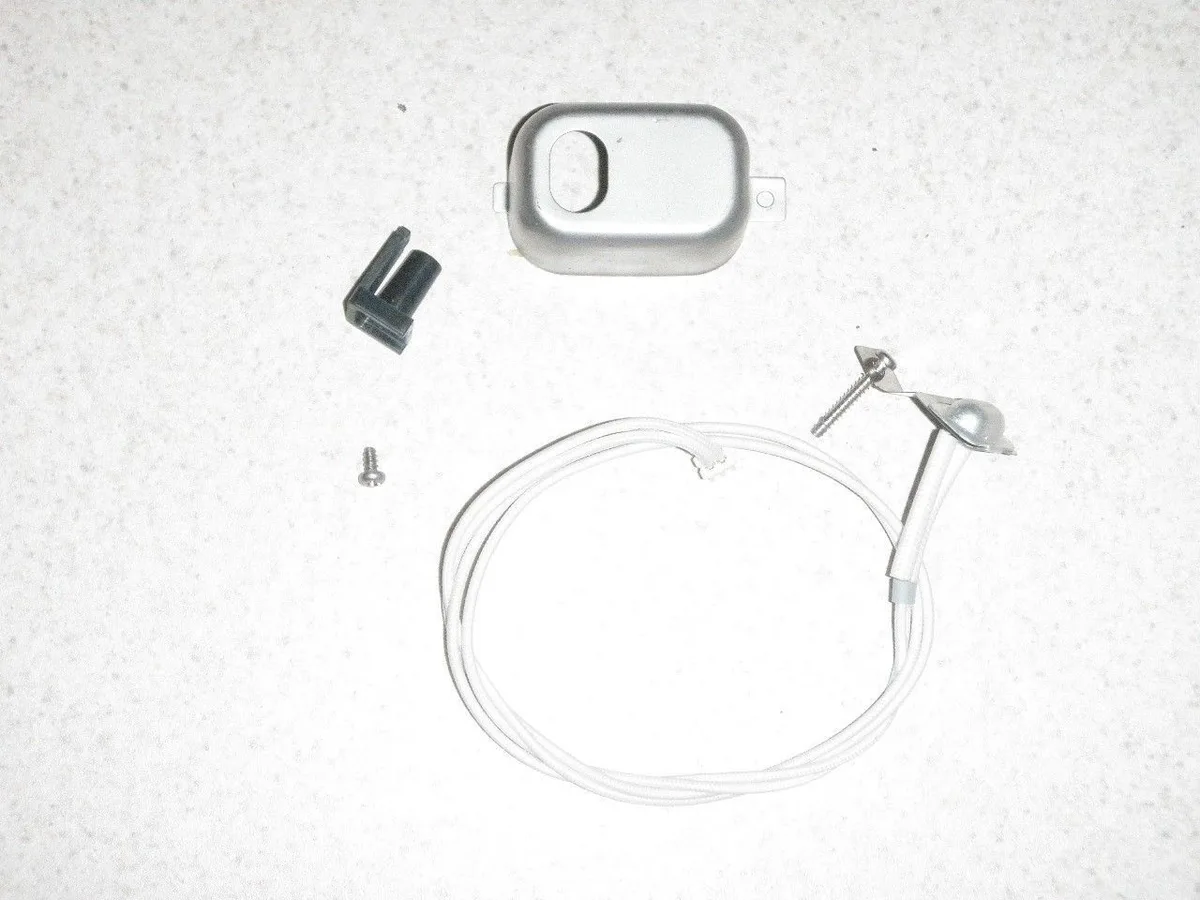
When the temperature changes, the resistance in the thermistor changes too. The control board interprets these Ohms to know exactly how hot the oven is at any given moment. A C13 error happens when the board receives a reading that does not make sense for a "start" state, such as 150°F before the heaters have even turned on.
Sometimes the sensor is just dirty. Flour dust or burnt sugar can coat the sensor tip and act as insulation. This prevents the sensor from cooling down at the same rate as the air in the chamber.
A gentle wipe with a dry microfiber cloth can often resolve ghost errors that persist even after the machine feels cool to the touch.
Decision Tree: Diagnosing the Cause of Your C13 Error
Fixing the error requires identifying whether the problem is environmental or mechanical. You can save time by following a simple logic flow based on the current state of your kitchen and your machine.
- If you just finished a loaf: The unit is simply too hot. Follow the cooling protocol.
- If the machine was in a cold garage: The unit is too cold. Move it to a room above 65°F and wait one hour.
- If the machine is at room temperature and shows C13: The sensor may be disconnected or faulty.
- If the code appeared mid-cycle: You may be experiencing an overheating motor issue.
Most household bread makers operate best in standard indoor climates. According to the National Institute of Standards and Technology (NIST), electronic sensors are highly sensitive to thermal gradients. If your kitchen is drafty, the sensor might perceive the cold as a hardware failure, triggering the C13 lockout as a precaution.
Scenario A: The Back-to-Back Baking Cycle
Baking multiple loaves in one afternoon is a common goal for holiday prep. However, the high-density insulation in modern machines is designed to keep heat in. This means that even after you pull the bread out, the internal components stay hot for a long time.
Manufacturer documentation often warns against consecutive cycles without a rest period. If the chamber is over 104°F, the C13 error will trigger immediately upon pressing "Start." This is actually a feature, not a bug. It ensures that your second loaf does not suffer from routine upkeep issues like poor rising or collapsed centers.
Scenario B: The Cold Storage Problem
The C13 error can also mean the machine is too cold. If you store your appliance in an unheated pantry during the winter, the thermistor may register a temperature below its minimum threshold. Many machines will not start if they detect a temperature below 41°F.
The solution here is patience. Do not attempt to heat the machine with a hair dryer. Rapidly heating the metal components can cause condensation to form on the sensitive control circuit board.
Move the machine to a central part of the home and let it sit for two hours to reach room temperature naturally.
Scenario C: The Permanent Error (Hardware vs. Software Glitch)
Sometimes the C13 code persists even when the machine is temperate. In this situation, the logic inside the machine has likely become stuck in an error loop. Before you assume the worst, try a software reset.
If the machine was plugged in during a minor power surge, the microprocessor can freeze. To fix this, leave the unit unplugged for at least ten minutes. This allows the capacitors on the main board to fully discharge, clearing the temporary memory.
If the code returns immediately, you are likely looking at a hardware issue like a failed solder joint.
How to Perform a Hard Reset on Your Control Board
If standard unplugging fails, some models have a button-based reset sequence. While this varies by brand, the most common method involves the "Start" and "Timer" buttons.
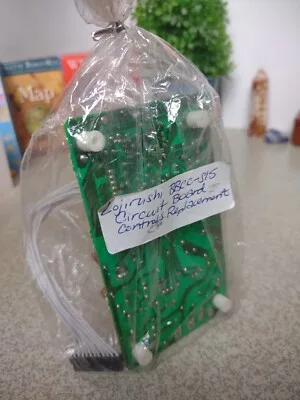
Follow this general sequence to force the board to re-evaluate the sensor data:
- Unplug the machine for one minute.
- Plug the machine back in.
- Immediately press and hold the "Cancel" or "Reset" button.
- Hold for 10 to 15 seconds until the display flashes.
- Unplug the unit one more time, wait ten seconds, and plug it back in.
Step-by-Step: Cleaning the Internal Temperature Sensor
A sensor coated in flour or baked-on crust will give inaccurate readings. Because the thermistor is at the bottom of the chamber, it is a magnet for spills. If you have ever experienced an overflow, that sensor is likely dirty.
Cleaning the sensor requires a delicate touch:
- Ensure the machine is cool and unplugged.
- Locate the small bump at the base of the chamber.
- Use a cotton swab dipped in a tiny amount of rubbing alcohol.
- Gently rub the tip of the sensor to remove any oily film.
- Let the area dry for five minutes before powering the unit back on.
Using a Multimeter to Test for Thermistor Failure
If cleaning and resetting do not work, you need to verify if the thermistor is dead. This is where a multimeter comes in handy. You are looking to measure the resistance of the sensor to see if it matches manufacturer specs.
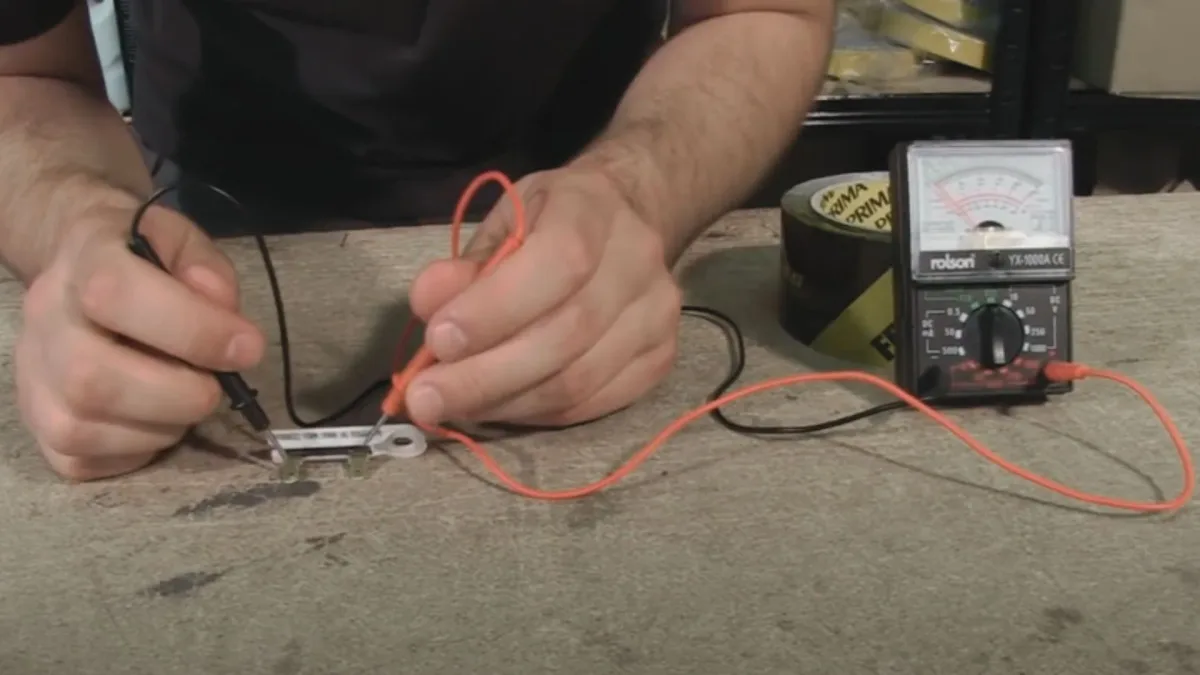
To test the sensor, you will need to open the bottom of the machine. Find the two wires that lead from the chamber sensor to the control board. Set your multimeter to the 20k Ohm setting.
At room temperature, a healthy thermistor should read approximately 10k to 12k Ohms. If the meter shows "OL," the sensor is broken internally.
Common Mistakes: What Not to Do When You See C13
Avoid the urge to force a start by pouring cold water into the baking chamber. Rapid cooling can warp the metal bread pan or shock the heating element. This leads to structural damage that no software reset can fix.
Do not attempt to bypass the error by pressing the start button repeatedly. The internal computer locks the cycle for a reason. Ignoring this safety check can lead to a motor burnout if the internal components are truly overheating.
When to Replace the Part vs. Buying a New Machine
Replacing a thermistor is cost-effective if the machine is a high-end model. As of 2026, a replacement sensor costs under $25 and takes less than an hour to install. If your machine is over ten years old, the cost of parts and shipping might not justify the effort.
Proactive Habits to Prevent Overheating Errors
Keep your bread maker away from other heat-producing appliances like ovens or air fryers. Proper ventilation is essential for the internal sensors to stay within their safe operating range. Give the machine a full hour of lid-open time between consecutive loaves to ensure engine servicing needs are met through natural cooling.
Zojirushi and Panasonic C-Code Variations
Zojirushi units use C13 to flag general temperature issues. Panasonic models may display different alphanumeric codes for similar thermistor faults. Check your specific manual to see if a "U" or "H" code correlates to the thermal sensor lockout.
Most high-end machines follow diagnostic standards set by the Association of Home Appliance Manufacturers (AHAM).
Safety Warnings: Working Around Heating Elements and Circuitry
Always disconnect the power cord before attempting to inspect the internal components of your machine. The metal heating element can remain dangerously hot for up to an hour after a cycle finishes. Touching live electrical parts inside the housing carries a significant risk of electric shock.
Capacitors on the main control board can store energy even after the unit is unplugged. Wear insulated gloves and use tools with non-conductive handles. If you see any signs of scorched wiring or melted plastic, stop immediately and seek professional assistance to avoid fire hazards.
Troubleshooting Workflow Summary and Decision Guide
Dealing with a C13 code is manageable if you follow a logical path. Most cases are resolved by simple environmental adjustments rather than complex repairs. Use this final summary to guide your next steps based on the machine's current state.
- Hot Machine: Remove the pan, open the lid, and use a fan for 30 minutes.
- Cold Machine: Move the unit to a room above 65°F and wait two hours.
- Persistent Error: Unplug for ten minutes to perform a hard reset.
- Hardware Failure: Use a multimeter to test for a dead thermistor.
Frequently Asked Questions
Why does my bread maker beep and show C13 when I try to start it?
This is a temperature safety lockout indicating the machine is too hot or too cold. The internal sensor prevents the cycle to protect the yeast from dying. Most often, you simply need to let the unit cool for 45 minutes with the lid open.
Can I bypass the C13 error to start my bread early?
There is no manual override for this code as it is a critical safety check. Forcing a start would lead to a failed loaf and could damage the heating element. Using a small fan to circulate air in the chamber is the only way to speed up the process.
How do I know if my temperature sensor is actually broken?
A faulty sensor will display C13 even after the machine has sat at room temperature for hours. You can verify a total failure by checking for a lack of electrical resistance with a multimeter. A reading of zero or infinity means the part is dead.
Is the C13 error code the same for all brands?
While most common in Zojirushi models, many digital bread machines use similar numeric codes for thermal faults. Always check your specific manual to see if your brand uses a different letter prefix. The troubleshooting steps for cooling or warming the unit remain the same across most brands.
Does a C13 error mean my bread maker is a fire hazard?
Usually, it is just a routine diagnostic alert rather than a danger signal. However, if the code stays on while the unit is unplugged or if you smell smoke, the internal wiring may be compromised. In those rare cases, professional inspection is the safest route.

Similar Posts